
Last updated: July 2026 | Written by [Ultra Panda Team], [Content Specialist: sweepstakes app researcher, testing agent-distributed gaming platforms since 2023]
Quick answer: Golden Dragon Mobi runs at playgd.mobi in a mobile browser. You cannot sign up yourself. An authorized agent issues you a Mobile ID and password, and you enter those on the playgd.mobi login screen. Most failed logins come from a mistyped Mobile ID, an inactive account on the agent’s side, or a cached browser session.
Table of Contents
ToggleKey takeaways
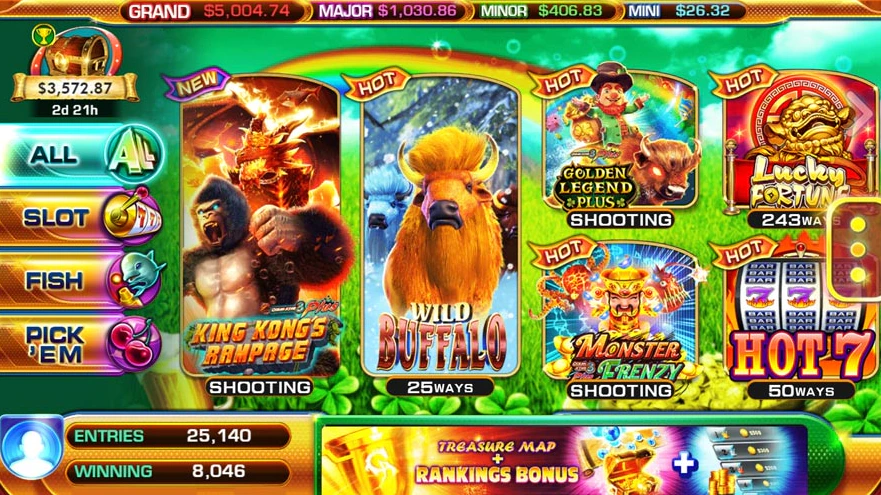
Golden Dragon Mobi is the player-facing name for PlayGD Mobi, a sweepstakes-style gaming platform distributed through independent agents rather than sold directly to consumers. It hosts slot titles and fish table games in a mobile browser.
The distribution model is the thing to understand, because it explains nearly every question people search for. There is no public sign-up form, no self-service password reset, no app store listing, and no central customer support desk. An agent, sometimes called a vendor or game room, buys credit in bulk, issues accounts, loads balances, and handles payouts. Your relationship is with that agent, not with PlayGD Mobi.
That model is legal to describe and widely used, but it is worth stating plainly: the platform does not hold a conventional gaming licence, there is no regulator to appeal to, and payouts depend entirely on your agent honouring them.
If you want faster access on repeat visits, add the page to your home screen from your browser’s share menu. That creates an icon that behaves like an app without installing anything.

There is no verified official Golden Dragon Mobi app on Google Play or the Apple App Store. The platform is designed to run in a browser.
Sites offering a “Golden Dragon Mobi APK” are third parties with no confirmed connection to the platform. Installing one means sideloading an unsigned package that can read whatever you type into it. Since the same device usually holds your banking apps and your messages, this is a meaningful risk rather than a theoretical one.
The safe equivalent of an app:
You get the icon and the full-screen view without installing anything.
| What you see | Likely cause | What to do |
|---|---|---|
| Invalid ID or password | Mistyped Mobile ID, wrong case, autofill inserting an old value | Retype manually from your agent’s message, disable autofill for the page |
| Login accepted then bounces back | Stale session cookie | Clear site data for playgd.mobi, or open it in a private window |
| Page will not load at all | Look-alike or expired domain, or DNS filtering | Type playgd.mobi directly, disable VPN and ad-blocking DNS, retry |
| Login works but balance shows zero | Agent has not loaded or has removed credits | Contact your agent. This is not a technical fault |
| Disconnects mid-game | Unstable connection or browser tab suspended in background | Switch between Wi-Fi and mobile data, keep the tab in the foreground |
| Account no longer recognised | Agent deactivated the account | Contact the agent who issued it. No one else can restore it |
| Blank or broken lobby | Outdated browser or aggressive content blocker | Update Chrome or Safari, pause blockers for the site |
Password reset: there is no self-service reset. Your agent resets it. Never share your existing password with anyone, including someone claiming to be support.
This is the part almost no competing page covers, and it is the most useful thing a reader can take away.
Bonus credits on this platform are issued by individual agents, not by PlayGD Mobi centrally. That means the amount, the wagering requirement, and whether winnings from it can be withdrawn all vary by agent and can change without notice.
Treat any specific advertised figure as an agent-level promotion rather than a platform guarantee, and ask for the withdrawal condition in writing before accepting one. A bonus that cannot be cashed out is a retention tool, not a gift.
Both run the same distribution model: agent-issued credentials, browser access, sweepstakes-style credits, no central support. The practical differences come down to game library and, more importantly, which platform your local agent actually supports. Most players end up on whichever one their agent uses rather than choosing on features. If you are weighing them, our Ultra Panda login guide covers the equivalent process on that side.
It is the player-facing brand for PlayGD Mobi, a sweepstakes-style gaming platform accessed at playgd.mobi. It offers slot and fish table games and is distributed through independent agents rather than sold directly to players.
Open playgd.mobi in a mobile browser, select the Golden Dragon option, and enter the Mobile ID and password your agent issued. There is no public registration, so credentials must come from an agent first.
The most common causes are a mistyped Mobile ID, autofill inserting an outdated password, a stale browser session, or an account the agent has deactivated. Retype the credentials manually and clear site data. If it still fails, the issue is on the agent’s side.
There is no self-service reset option. Contact the agent who issued the account and ask them to reset it. Never disclose your current password to anyone.
No verified listing exists on Google Play or the App Store. Sites offering a Golden Dragon APK are unaffiliated third parties. Adding playgd.mobi to your home screen gives you the same convenience without installing anything.
No. Accounts are issued by authorized agents, who also load balances and handle payouts.
The platform does not hold a conventional gaming licence and there is no regulator overseeing payouts. Practical safety depends almost entirely on the agent you use, so vet the agent before loading any amount and only play with money you can afford to lose.
Balances are administered by the agent, so an inactive agent usually means an inaccessible balance. This is why keeping large amounts loaded is not advisable.
Usually an unstable connection or a mobile browser suspending the tab in the background. Keep the tab active and test the other network type before assuming a server issue.
About this guide: Written by [Ultra Panda Team], [Content Specialist]. Login flow and error behaviour verified on [device, OS version, browser] on [May 2026].
Disclaimer: This is an independent informational guide. The ultrapandamobi.net is not affiliated with, endorsed by, or an agent for PlayGD Mobi or Golden Dragon. We do not issue accounts, host downloads, or process payments. This platform does not hold a conventional gaming licence and accounts are administered by independent agents. Availability and legality vary by jurisdiction. Restricted to adults 18 and over. Play only with money you can afford to lose.

I’ve been testing sweepstakes-style gaming platforms and agent-distributed apps since 2019. Over the years, I’ve explored platforms like Ultra Panda, Fire Kirin, Panda Master, and Orion Stars to understand how they work and what users should know before trying them. I test these platforms myself using my OnePlus 12R, iPhone 13, and Chrome on a Windows PC. I share my findings based on my own experience, keeping things simple, honest, and easy to understand. To be clear, I’m not an Ultra Panda agent, I don’t sell gaming accounts, and I don’t earn commissions from users’ deposits. My goal is to share practical information based on my own testing, so readers can make more informed decisions.